
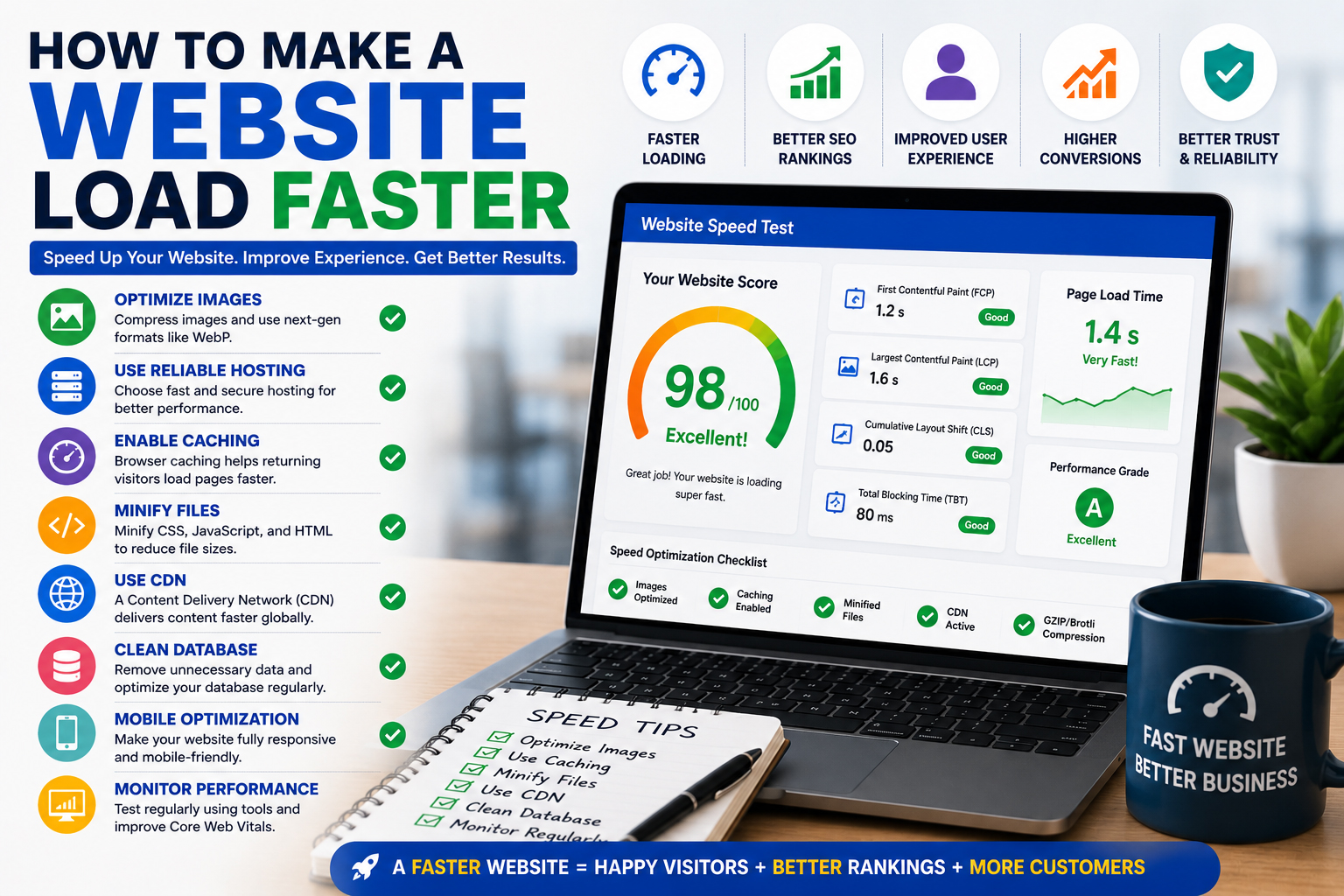
How to Make a Website Load Faster
Website speed has become one of the most important factors in online success. Modern internet users expect websites to load almost instantly, and even a few seconds of delay can negatively impact user experience, search engine rankings, and conversion rates. Many business owners ask How to Make a Website Load Faster because they understand that website performance directly affects customer satisfaction and revenue generation.
A slow website can frustrate visitors, increase bounce rates, reduce engagement, and drive potential customers toward competitors. Search engines also consider page speed when evaluating websites, making performance optimization an essential part of digital marketing and SEO strategies.
Whether you operate a business website, an eCommerce store, a service portal, or a blog, improving website speed should be a priority. Understanding How to Make a Website Load Faster can help you create a better experience for visitors while improving search visibility and conversion opportunities.
Why Website Speed Matters
Website speed influences nearly every aspect of online performance. Visitors want information immediately, and they are unlikely to wait for slow-loading pages.
Fast websites provide several benefits:
- Better user experience
- Lower bounce rates
- Higher engagement
- Improved conversions
- Better SEO performance
- Increased customer satisfaction
When a website loads quickly, users can navigate efficiently, access information without frustration, and complete actions more easily.
Businesses focusing on How to Make a Website Load Faster often see measurable improvements in traffic retention and lead generation.
Proven Strategies to Make a Website Load Faster
Improving website speed requires a combination of technical optimization, content management, and performance monitoring.
Optimize Image Sizes
Large image files are one of the most common causes of slow websites.
Many businesses upload high-resolution images without compression, resulting in unnecessary loading delays.
Image optimization involves:
- Compressing images
- Using modern formats such as WebP
- Resizing images appropriately
- Removing unnecessary metadata
Optimized images maintain visual quality while reducing file sizes and improving performance.
Choose Reliable Web Hosting
Your hosting provider plays a critical role in website speed.
Low-quality hosting services often suffer from:
- Slow server response times
- Limited resources
- Frequent downtime
- Poor scalability
Investing in reliable hosting infrastructure helps ensure fast and consistent performance.
Businesses expecting growth should select hosting solutions capable of handling increased traffic efficiently.
Enable Browser Caching
Browser caching allows returning visitors to load pages more quickly.
Instead of downloading the same files repeatedly, browsers store certain website elements locally.
Cached resources may include:
- Images
- CSS files
- JavaScript files
- Fonts
Caching significantly reduces loading times for repeat visitors.
Minify CSS, JavaScript, and HTML
Website code often contains unnecessary characters, spaces, and comments that increase file sizes.
Minification removes these elements without affecting functionality.
Benefits include:
- Smaller file sizes
- Faster downloads
- Improved rendering performance
Minifying code helps browsers process website resources more efficiently.
Use a Content Delivery Network (CDN)
A Content Delivery Network distributes website content across multiple servers worldwide.
When visitors access your website, content is delivered from the server closest to their location.
Benefits of a CDN include:
- Faster page loading
- Reduced latency
- Improved global performance
- Better scalability
Popular CDN solutions help businesses deliver content efficiently to international audiences.
Reduce HTTP Requests
Every webpage requires multiple requests to load resources such as images, stylesheets, scripts, and fonts.
Too many requests can slow performance.
Reducing HTTP requests may involve:
- Combining CSS files
- Combining JavaScript files
- Using image sprites
- Eliminating unnecessary resources
Fewer requests generally result in faster page loading.
Optimize Website Themes and Templates
Poorly coded themes can significantly impact website performance.
Many websites use themes containing excessive features, animations, and scripts that are not necessary.
When selecting a theme:
- Choose lightweight options
- Remove unused features
- Prioritize performance
- Test loading speed regularly
Businesses using platforms such as WordPress should focus on optimized themes designed for speed.
For organizations seeking performance-focused solutions, professional website services such as https://hrweb99.com/wordpress can help improve speed and usability.
Remove Unnecessary Plugins
Plugins add functionality but can also slow websites when used excessively.
Many websites accumulate plugins over time, including outdated or redundant tools.
Regular plugin audits help identify:
- Unused plugins
- Duplicate functionality
- Poorly optimized extensions
Removing unnecessary plugins reduces server workload and improves performance.
Enable Compression
Compression reduces the size of website files before they are transferred to visitors.
Common compression methods include:
- Gzip compression
- Brotli compression
Compressed files download faster and improve overall loading speed.
Most modern hosting providers support compression technologies.
Optimize Database Performance
Databases can become cluttered over time.
Unnecessary data may include:
- Spam comments
- Revision histories
- Expired transients
- Temporary files
Database optimization helps improve server response times and overall website performance.
Regular maintenance ensures efficient database operations.
Reduce Redirects
Redirects force browsers to make additional requests before reaching the desired page.
Excessive redirects can increase loading times.
Website owners should:
- Remove unnecessary redirects
- Update outdated links
- Maintain clean URL structures
Reducing redirect chains contributes to faster page delivery.
Improve Mobile Performance
Mobile users expect fast-loading websites.
Mobile optimization should include:
- Responsive design
- Compressed images
- Efficient coding
- Reduced resource usage
Google emphasizes mobile performance because a significant percentage of web traffic originates from smartphones and tablets.
Prioritize Above-the-Fold Content
Visitors should see meaningful content immediately after a page loads.
Above-the-fold optimization focuses on displaying critical content first while loading secondary elements later.
Benefits include:
- Faster perceived performance
- Better user experience
- Improved engagement
Users often judge website speed based on how quickly visible content appears.
Use Lazy Loading
Lazy loading delays the loading of images and media until they are needed.
Instead of loading all resources immediately, content loads as users scroll through the page.
Advantages include:
- Faster initial loading
- Reduced bandwidth usage
- Improved user experience
Lazy loading is particularly beneficial for image-heavy websites.
Monitor Core Web Vitals
Google’s Core Web Vitals measure important aspects of user experience.
Key metrics include:
- Largest Contentful Paint (LCP)
- Interaction to Next Paint (INP)
- Cumulative Layout Shift (CLS)
Monitoring these metrics helps identify performance issues that affect users.
Website owners can review performance using Google PageSpeed Insights and implement recommended improvements.
Optimize Fonts
Web fonts can contribute to slower loading times if not managed properly.
Best practices include:
- Limiting font variations
- Using efficient formats
- Loading only necessary fonts
- Preloading important font files
Font optimization improves rendering performance and page speed.
Keep Software Updated
Outdated software often contains performance inefficiencies.
Regular updates should include:
- CMS updates
- Theme updates
- Plugin updates
- Server software updates
Updated software typically includes security improvements and performance enhancements.
Analyze Website Performance Regularly
Website speed optimization is not a one-time task.
Continuous monitoring helps identify new issues and opportunities for improvement.
Important metrics include:
- Page load time
- Server response time
- Bounce rate
- Conversion rate
- Core Web Vitals
Businesses can use tools such as Google Analytics alongside performance testing tools to monitor website effectiveness.
Create User-Focused Content
Heavy pages filled with unnecessary elements often perform poorly.
Content should be:
- Well-structured
- Relevant
- Easy to consume
- Optimized for performance
According to guidance from Google Search Central, websites should prioritize useful content and positive user experiences.
Businesses that focus on How to Make a Website Load Faster often discover that performance improvements benefit both users and search engines.
Fast websites provide smoother browsing experiences, improve engagement, increase trust, and support stronger conversion rates. Visitors are more likely to remain on a website when pages load quickly and function efficiently.
Understanding How to Make a Website Load Faster requires attention to multiple factors, including hosting quality, image optimization, code efficiency, caching, database management, and ongoing performance monitoring. Each improvement contributes to a faster and more reliable user experience.
Companies that regularly optimize website speed often enjoy higher customer satisfaction, better search rankings, and increased revenue opportunities. By implementing proven performance strategies and maintaining a commitment to continuous improvement, businesses can ensure their websites remain competitive in today’s fast-paced digital environment.
Ultimately, the answer to How to Make a Website Load Faster lies in creating an optimized website that delivers content quickly, meets user expectations, and supports long-term business growth. A faster website is not just a technical achievement—it is a powerful competitive advantage that helps attract, engage, and convert more customers.




Leave a Reply