
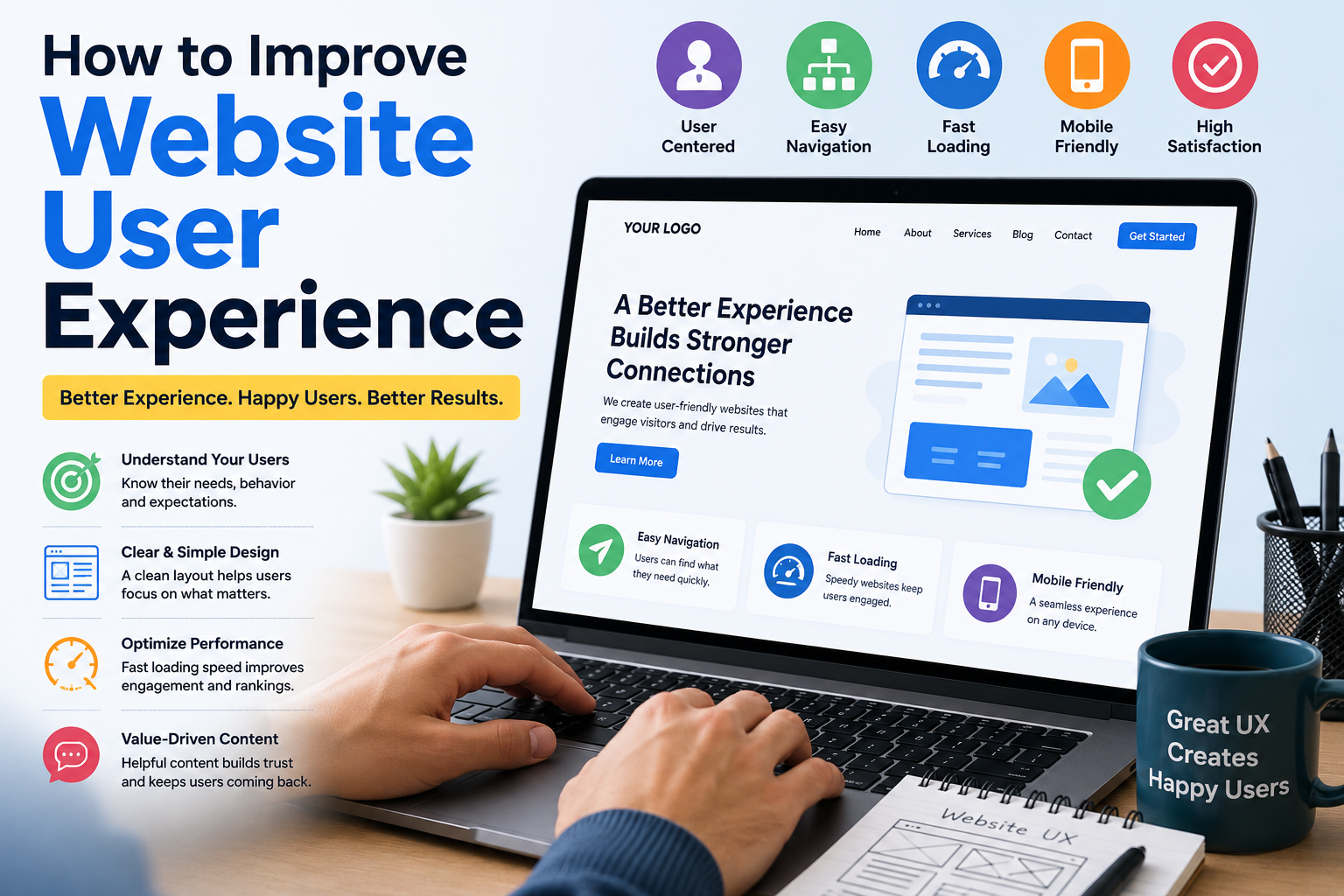
How to Improve Website User Experience
A website is often the first interaction potential customers have with a business. Whether visitors arrive through search engines, social media, advertisements, or referrals, their experience on your website can significantly influence their decision to stay, explore, and ultimately become customers. A positive user experience encourages engagement, increases trust, improves conversions, and helps businesses achieve long-term growth.
Many website owners focus heavily on attracting traffic but overlook the importance of delivering an exceptional experience once visitors arrive. Even if a website ranks well on search engines, poor usability, slow loading times, confusing navigation, or outdated design can drive visitors away. Improving website user experience is not just about aesthetics; it involves creating a seamless journey that helps users find information quickly and complete their desired actions with minimal effort.
Businesses that prioritize user experience often see lower bounce rates, longer session durations, higher customer satisfaction, and increased sales. Understanding the key elements that contribute to a positive user experience can help transform an average website into a valuable business asset.
Why Website User Experience Matters
User experience affects every aspect of website performance. When visitors enjoy using a website, they are more likely to remain engaged, interact with content, explore products or services, and trust the brand behind the website.
A poor user experience can have the opposite effect. Visitors may become frustrated if pages load slowly, information is difficult to locate, or navigation feels confusing. As a result, they leave the website without taking any meaningful action.
Search engines also pay close attention to user experience indicators. Factors such as page speed, mobile usability, content quality, and user engagement can influence search visibility. Businesses that focus on improving website user experience often benefit from better rankings, stronger customer relationships, and improved conversion rates.
Key Elements That Improve Website User Experience
The process of improving user experience involves multiple factors working together to create a smooth and enjoyable journey for visitors.
Fast Website Loading Speed
Website speed is one of the most important components of user experience. Modern users expect websites to load within a few seconds. If a page takes too long to appear, visitors are likely to abandon it before interacting with any content.
Several factors can affect website performance, including large images, excessive scripts, poor hosting services, and unoptimized code. Regular performance testing helps identify areas that require improvement.
Businesses can evaluate speed performance using tools such as Google PageSpeed Insights and implement recommendations to improve loading times.
Create Clear and Simple Navigation
Visitors should never struggle to find information on a website. Navigation should be intuitive, organized, and consistent throughout the entire site.
Effective navigation includes:
- Clearly labeled menu items
- Logical page hierarchy
- Visible contact information
- Easy access to important pages
- Search functionality when needed
When users can quickly locate information, they are more likely to remain engaged and complete desired actions.
Optimize for Mobile Devices
Mobile traffic now represents a significant portion of website visitors across most industries. A website that functions perfectly on desktop but poorly on mobile devices creates a frustrating experience for users.
Mobile optimization involves:
- Responsive layouts
- Touch-friendly buttons
- Readable text sizes
- Fast loading performance
- Simplified navigation
Businesses should regularly test their websites across multiple devices and screen sizes to ensure consistency.
Improve Visual Design
Visual design has a powerful influence on how visitors perceive a business. A modern and professional appearance helps establish trust and credibility.
Important design considerations include:
- Consistent branding
- Professional typography
- Appropriate color schemes
- High-quality images
- Sufficient white space
- Clear visual hierarchy
A cluttered or outdated design can make visitors question the reliability of a business, even if the products or services are excellent.
For businesses seeking a modern online presence, professional website solutions such as https://hrweb99.com/custom-website-design can help create visually appealing and user-focused websites.
Make Content Easy to Read
Content should be structured in a way that allows visitors to consume information quickly.
Best practices include:
- Short paragraphs
- Clear headings
- Bullet points
- Simple language
- Relevant visuals
Most users scan content rather than reading every word. Proper formatting helps visitors find the information they need without frustration.
Use Clear Calls-to-Action
Every page should guide users toward a specific action.
Examples include:
- Contact Us
- Request a Quote
- Book a Consultation
- Download a Guide
- Start a Free Trial
Calls-to-action should be easy to identify and strategically placed throughout the website. Clear guidance reduces confusion and increases conversion opportunities.
Build Trust Through Transparency
Trust plays a critical role in user experience. Visitors want reassurance that they are dealing with a legitimate and reliable business.
Effective trust-building elements include:
- Customer testimonials
- Reviews
- Case studies
- Security certificates
- Company contact details
- Privacy policies
- Industry certifications
The more confident visitors feel, the more likely they are to engage with your business.
Reduce User Friction
User friction refers to anything that makes it harder for visitors to complete tasks.
Common friction points include:
- Complex forms
- Excessive pop-ups
- Slow checkout processes
- Confusing navigation
- Broken links
Every obstacle increases the likelihood that visitors will abandon the website before converting.
Businesses should regularly review user journeys and simplify processes wherever possible.
Improve Accessibility
An accessible website ensures that users with different abilities can interact with content effectively.
Accessibility improvements may include:
- Proper color contrast
- Keyboard navigation support
- Alternative image text
- Descriptive headings
- Screen reader compatibility
Accessibility benefits all users and helps create a more inclusive online experience.
Focus on Consistency
Consistency helps users feel comfortable navigating a website.
Consistent elements include:
- Navigation menus
- Button styles
- Fonts
- Colors
- Layout structures
When visitors encounter predictable design patterns, they can focus on content rather than learning how the website works.
Use High-Quality Images and Media
Visual content can enhance user engagement when used appropriately.
Images should:
- Support the content
- Load quickly
- Be optimized for web performance
- Maintain professional quality
Poor-quality visuals can negatively impact both credibility and user experience.
Provide Helpful and Relevant Content
Users visit websites to solve problems, answer questions, or find solutions.
Content should address visitor needs by providing:
- Clear explanations
- Practical information
- Helpful resources
- Frequently asked questions
- Educational insights
According to guidance from Google Search Central, helpful content created for users contributes to stronger engagement and better overall website performance.
Monitor User Behavior
Understanding how visitors interact with a website provides valuable insights into user experience challenges.
Businesses should monitor:
- Bounce rates
- Session duration
- Exit pages
- Conversion paths
- Heatmaps
- User recordings
These insights reveal where users encounter difficulties and where improvements can have the greatest impact.
Tools such as Google Analytics help businesses analyze visitor behavior and make informed optimization decisions.
Test and Continuously Improve
Website user experience is not a one-time project. User expectations evolve, technologies change, and business goals develop over time.
Continuous improvement involves:
- Conducting usability testing
- Gathering customer feedback
- Monitoring analytics
- Updating content
- Improving performance
- Refining design elements
Regular testing ensures that websites remain effective and competitive.
A business website should serve as more than an online brochure. It should provide visitors with a seamless experience that builds trust, communicates value, and encourages action. Companies that invest in improving website user experience often achieve stronger engagement, higher conversion rates, and better customer satisfaction.
When every aspect of the website—from speed and navigation to content and design—works together effectively, visitors can easily find what they need and confidently move forward in their journey. Businesses that prioritize user experience create stronger digital relationships, generate more leads, and position themselves for sustainable online success.
By focusing on usability, accessibility, performance, and customer needs, organizations can transform their websites into powerful tools that support growth and long-term business objectives. Most importantly, businesses wondering how to improve website user experience should view optimization as an ongoing process that continuously adapts to changing customer expectations and technological advancements.



Leave a Reply